Set Up a Company-Wide Block Amount Master
To use Q360’s Block Amount functionality, there is a set-up required for the company-wide block amount master.
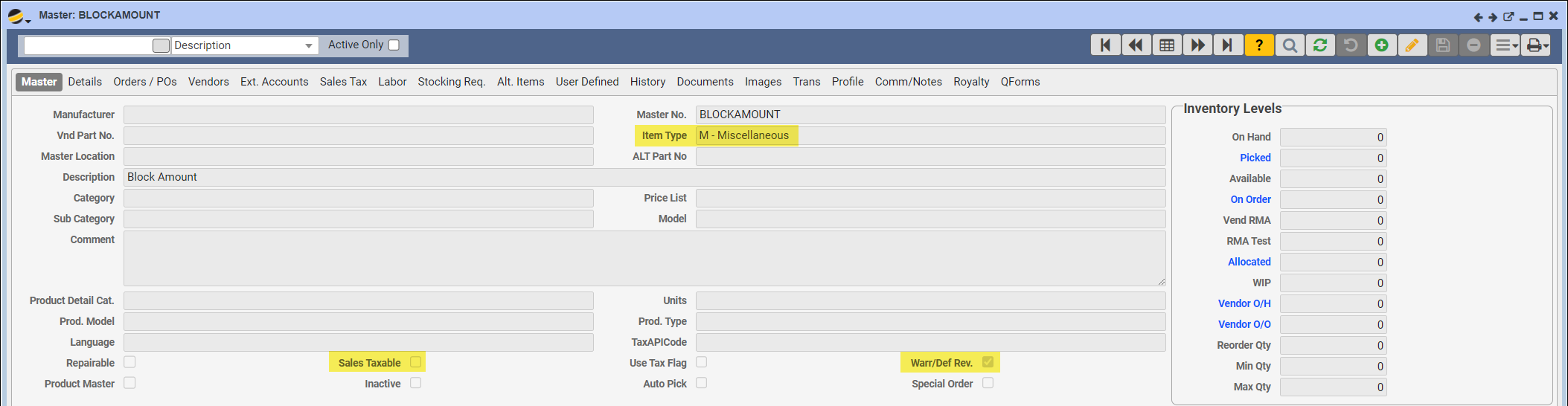
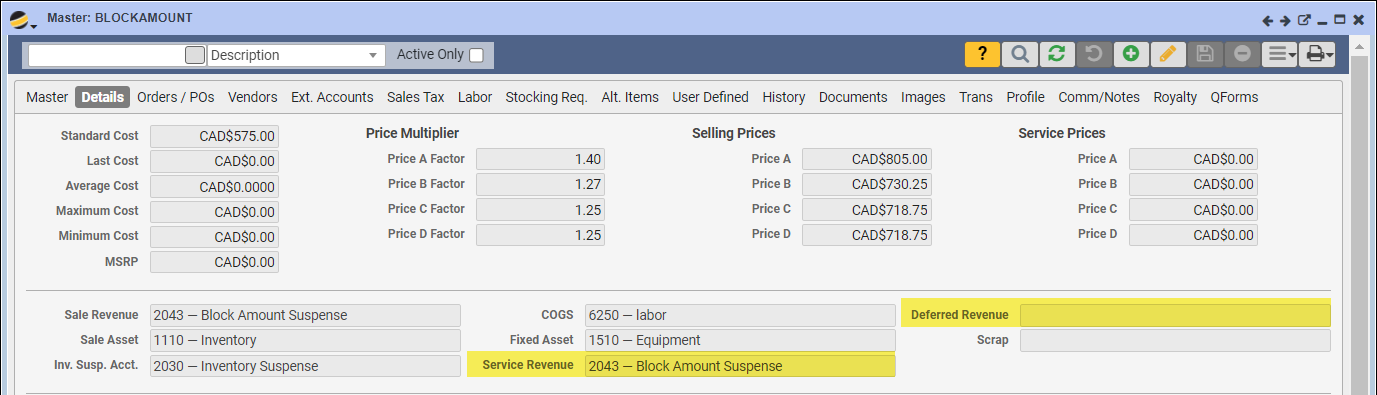
- Create a new Master for Block Amount on your system with the following attributes:
- Item Type (Master tab) is M – Miscellaneous
- Sales Taxable flag (Master tab) is Unchecked
- Warr/Def Rev. flag (Master tab) is Checked
- The Deferred Revenue field (Details tab) is blank
- Service Revenue field (Details tab) points to your Block Amount Suspense account
- Contact Q360 Support to update your Config setting (BLOCKAMOUNTMASTERNO) and make your new Block Amount Master the default Master for your environment.
Note: If you are using a 3rd party tax software, you will be responsible for setting this up according to the requirements of that service.