Report #: Q0318
Path: Sales > Quick Views > Sales Bookings opens report Q0318 in versions 23.02+
Purpose: This report provides easy access to sales booked, by rep, for a period of time, and includes value and margins
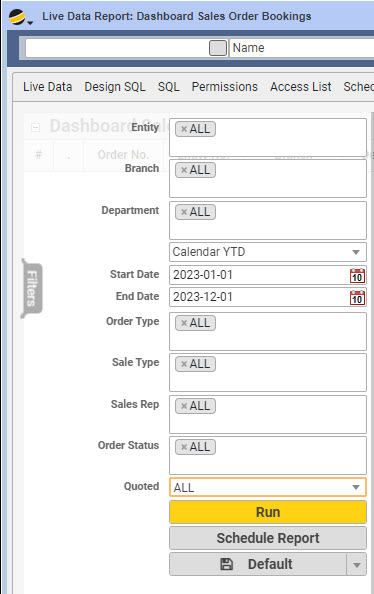
Filters:
- Entity: This is your internal list of companies/entities
- Branch: Select from internal branch(s) for which you would like to report bookings
- Department: Select from internal department(s) for which you would like to report bookings
- Time Period: The historical period of time to report bookings (Start and End dates will auto update) OR select a Start and End date from the filter list
- Order Type: Select from CCO, ICO, RECURRING, RMA, SALE, WORKORDER or ALL (multi-select possible)
- Sale Type: This is the drop-down value selected on the quote header form (multi-select possible)
- Sales Rep: Select one or more sales reps including an option for ALL
- Order Status: Select from APPROVED, CANCELED, CONFIRMED, DATAENTRY, PARTSHIP, SHIPPED, SHIPQ or ALL (multi-select possible)
- Quoted: Select Y (include results that only originate from a quote) or N (include only results that do not originate from a quote) or ALL
- Save (Default): This option allows you to save your default filters or click the down arrow and add your own save category if you want to have more than one saved filter set
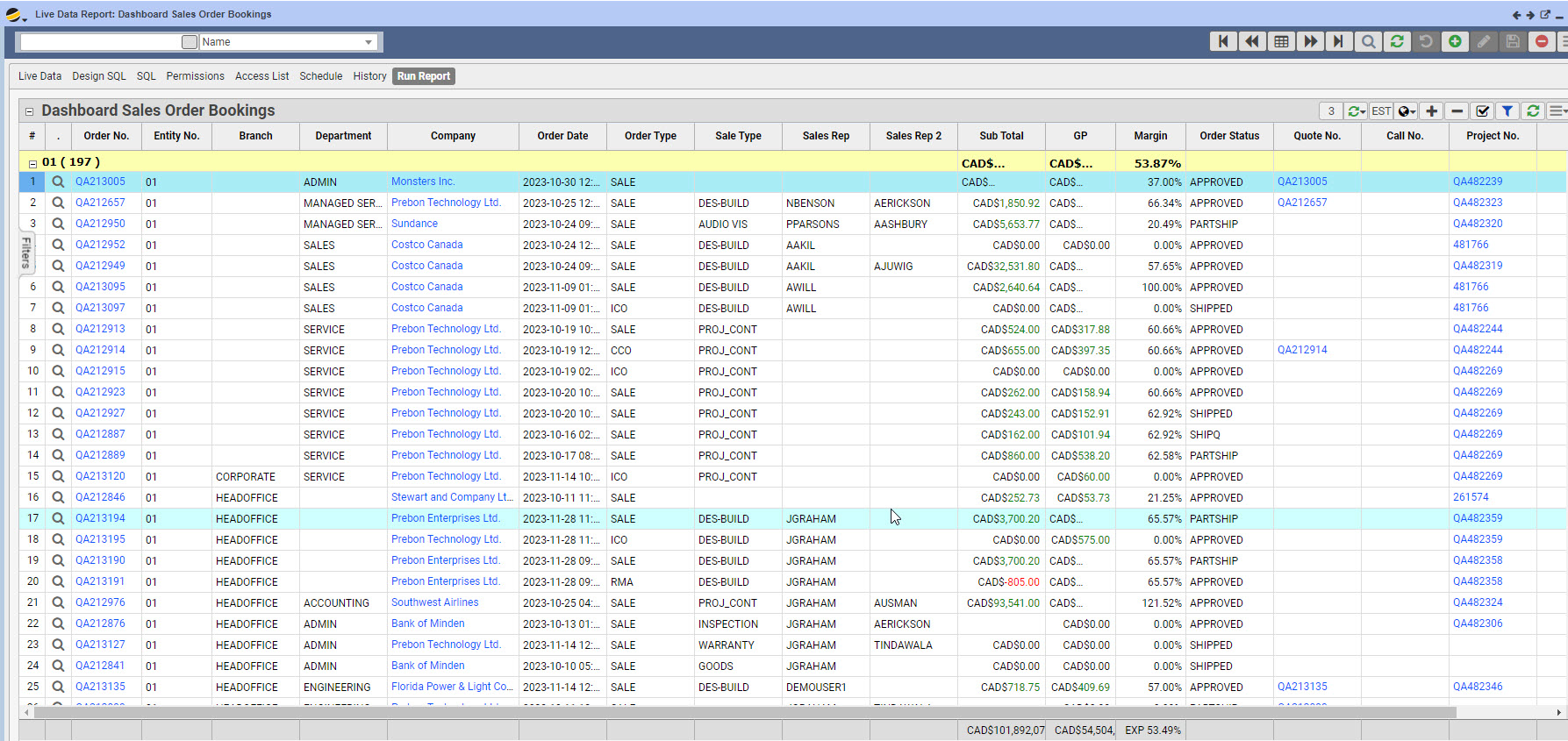
Report Results:
- One row per booked order
- Zoom/Drill-in/Link: This will drill down into the booked order
For more information on other useful reports, check out our Sales and Operations Reports Webinar.