See what’s new in Q360 version 21.02
Watch the highlight reel
Watch the full webinar
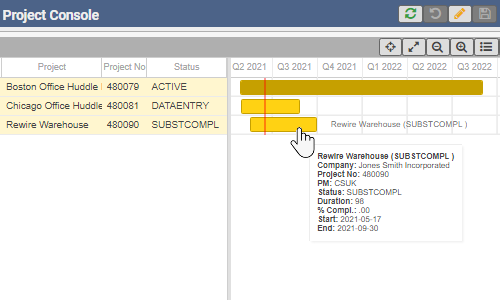
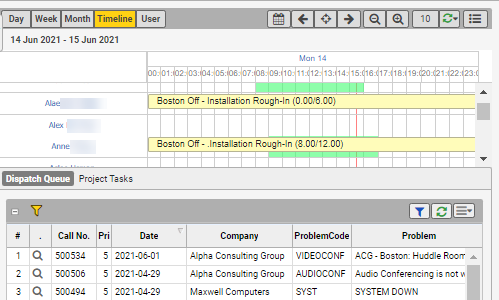
Enhancements include option to see progress to date based on estimated effort and remaining effort on the bar, configurable bar colors based on task category or status, enhanced filter options to allow end user to multi-select filter values, zoom in / out for scale change, scrollable time line, detailed tool tip when hovering over bars, and project manager on grid.
Viewable from Projects menu > “Project Console”.

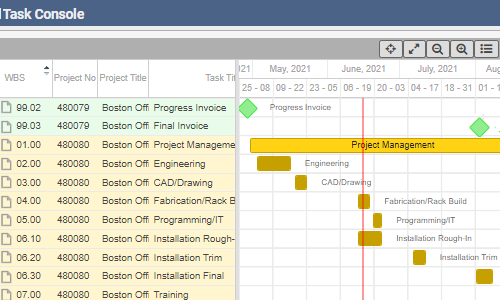
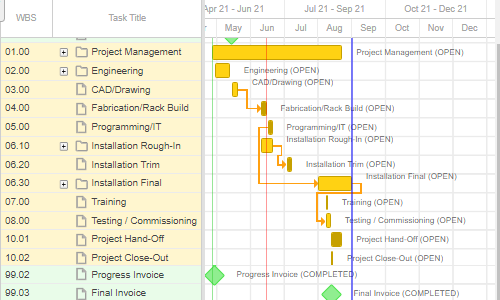
Check out the improved project Gantt chart to visualize project milestones, tasks and their dependencies. Now includes option to create task dependency (mouse click and drag action) , adherence to configurable bar colors based on task category or status, and filter options to allow for multi-select filter values.
Viewable from a project record > extended menu “Open Gantt Chart”.
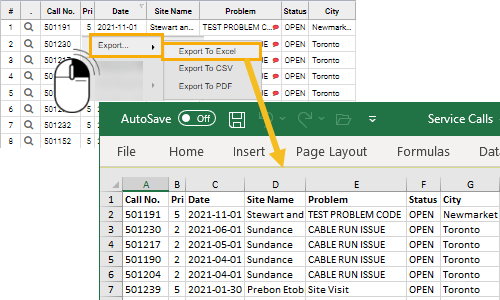
For more information about Q360 version 21.02, see the release notes.
See previous What’s New v21.01.
See next What’s New v21.03.