Q360 users now have the ability to track product deficiencies in Q360.
Service call techs can report deficiencies while working in the field, and reported deficiencies can be viewed in the Deficiency Queue. A deficiency can be linked to a Call, Product and/or Product Detail, quote and/or order.
Prerequisites:
Config item DEFICIENCY must be set to ON to see any of these features. Default is OFF.
Permission DEFICIENCY (view, create, edit, delete) must be assigned per User in order to utilize these functions.
Paths:
- Service > Deficiencies
- Service > Work Queues > Deficiency Q
Add a deficiency:
- On Helpdesk form, Product form or Product Detail form, click on the Deficiency tab
- On the Deficiencies grid, click the ADD button. A New Deficiency form will open
- Fill in relevant fields (see Deficiency Form section below)
- Deficiency will be added to the Deficiency Queue
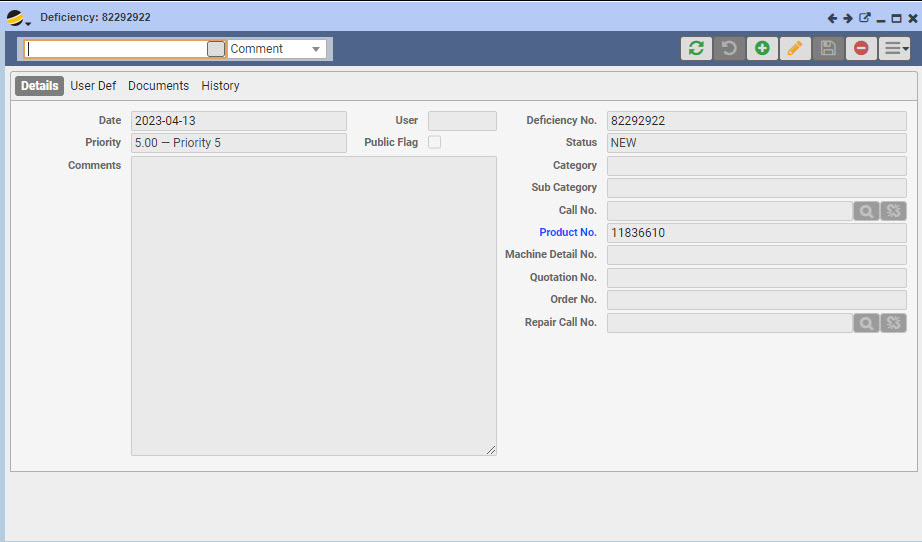
Deficiency Form: Displays a deficiency record
- Standard User Def, Documents, and History tabs
- Public Flag – controls visibility for external users. When the public flag is checked, the form may be viewed by external users
- Statuscode – drop down menu. Options are driven by general code DEFSTATUS
Category – drop down menu. Options are driven by general code DEFCATG
Subcat – drop down menu. Options are driven by general code DEFSUBCAT
Note: Deficiencies may not be edited nor deleted once they have been linked to a quote which is APPROVED or CONVERTED
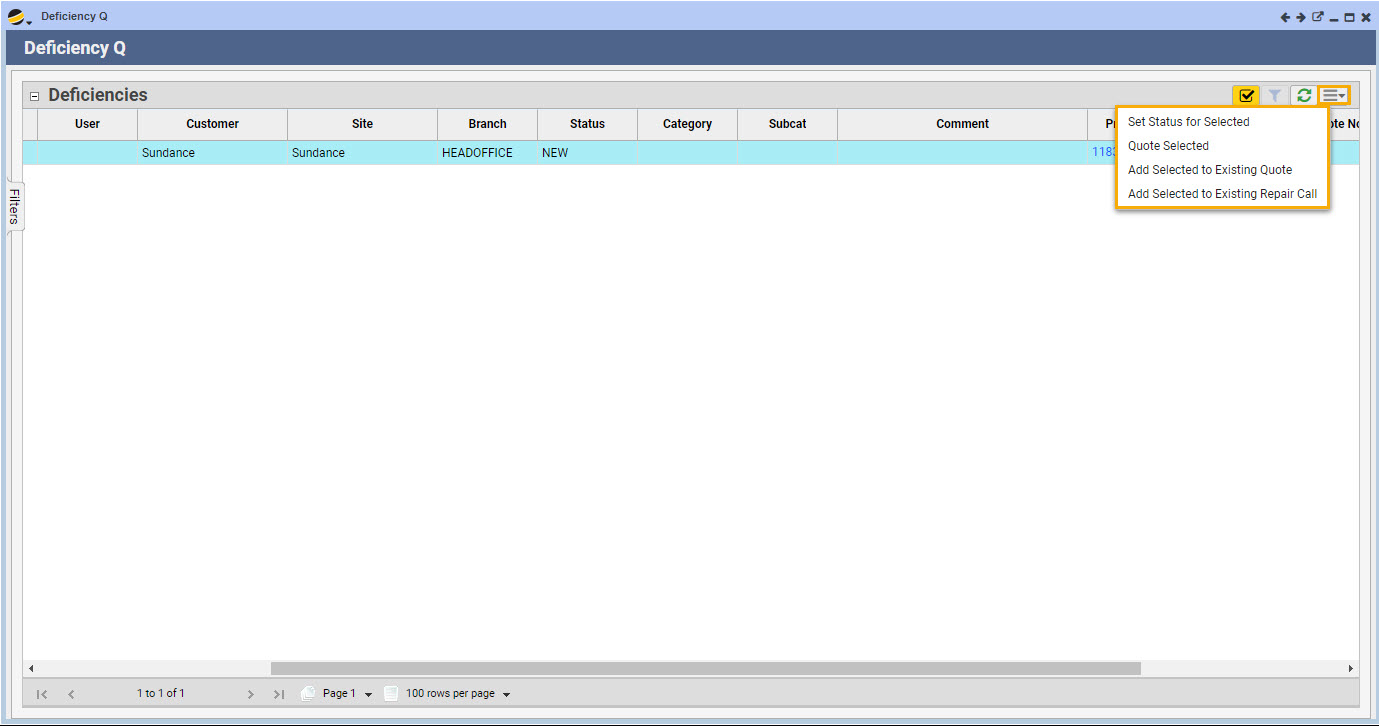
Deficiency Queue: Allows visibility of deficiencies reported by techs during inspections. These can be quoted (from the Extended Menu) so that a tech can return on a service call in the future to repair them.
- Use filters to find the deficiency(ies) you wish to quote
- Highlight one or more deficiencies in the grid
- Click on the grid extended menu and select “Quote Selected.” Note that deficiencies may be added to an existing quote or an existing repair call from the same menu
General rules for creating a quote for a deficiency repair:
- All deficiencies added to a single quote must be for the same customer
- Deficiencies in a POST state (based on DEFSTATUS general code type) may not be added to a quote
- When quoting a deficiency, a saletype that converts the quote/order into a service call should be used. When the service call is generated, the “Repair Call No” on the Deficiency form will be updated
- User may choose to bypass the quoting stage and add the deficiency directly to an existing call for repair